


Microsoft Publisher will reach its end of life on October 1st 2026. After this time, it will no longer be included in Microsoft 365, and existing on-premises suites will no longer be supported. Microsoft 365 subscribers will no longer be able to open or edit files in MS Publisher. Until then, support for Publisher will continue, and users can expect the same experience as today. However, we recommend exploring alternative ways to design fixed overlays for your forms.
The following are our recommendations:
1. Avoid using overlays altogether and use Lasernet’s built-in shape, image, and text tools to design your overlays instead. This method has several advantages, including smaller PDF sizes and notably faster processing of larger document batches.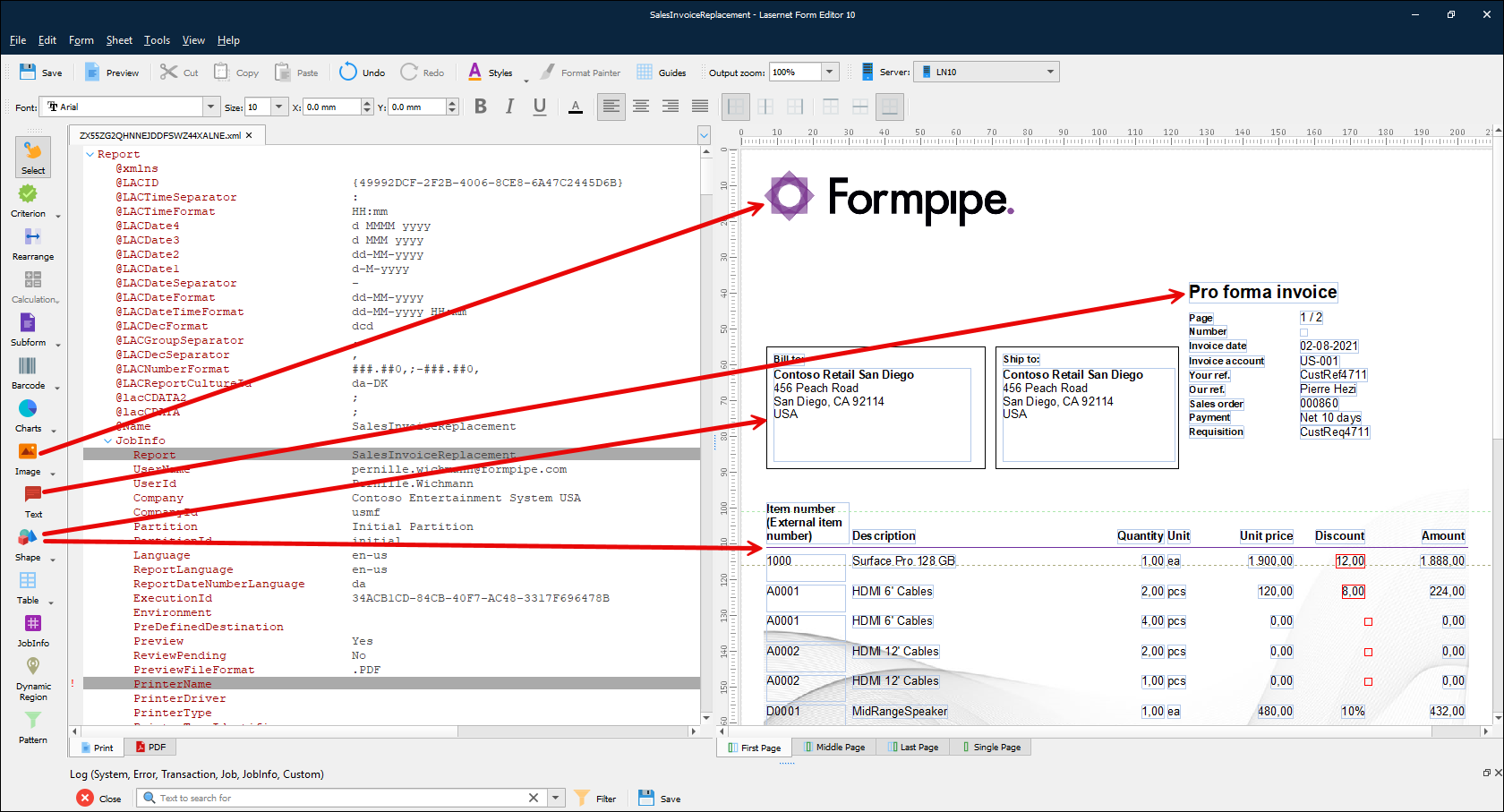 2. If your project requires creating an overlay, you can use any application that supports printing, such as Adobe InDesign, Affinity by Canva, and Scribus.
3. Use the Microsoft-recommended solution to convert the Publisher file to PDF and then import it into MS Word. Print from Word to the overlay capture to create your overlay. Maintain the design in Word from now on.
Although this is the method that Microsoft recommends, we have run some tests on various Publisher files and have found that it requires a significant amount of formatting work to be performed, which can be time-consuming and frustrating.
4. Use a third-party conversion tool to convert directly from Publisher to another file type. However, Lasernet will not be responsible for the size, quality, or editability of documents produced using this method.
How to Get Support
If you encounter difficulty using Lasernet, contact Lasernet Support.


Add a comment
Please log in or register to submit a comment.